
goto
Lost a window in a sea of windows? Hunting for it with the mouse and Alt+Tab is slow and annoying. goto brings it to the front, just say where you want to go. On Linux, fully offline.
How it works
1. Say it
Hold a key or just speak, the way you'd tell a person: "goto slack john doe".
2. goto finds it
It figures out which window, tab or conversation you mean, across everything you have open.
3. You're there
The right window snaps to the front. No mouse, no endless Alt+Tab.
Your voice never leaves your computer. Everything runs locally, nothing is sent to the cloud.
What you can do
Windows & apps
"goto terminal logs", "goto slack", "goto browser" (focuses the only open browser).
Chrome tabs
"goto chrome github" uses Chrome's native tab search to jump straight to the right tab.
Slack DMs
"goto slack john doe" opens the conversation via Jump to (Ctrl+K).
VS Code files
"goto vscode app config" opens the file via Quick Open (Ctrl+P).
Accent-tolerant
"goto", "go to", "good to", "gotchu"... recognition forgives the variations.
Extensible
Each program is an isolated adapter. Adding a new app is one file, no core changes.
The tray menu
goto lives in the system tray. Click the icon and everything is one click away:
Start / Stop listening
Turn voice capture on or off whenever you want.
Mode
Wake word "goto" (hands-free, always listening) or Hotkey (hold a key, speak, release).
Language
Português (BR), English or Automatic. Pick the language you actually speak for the best accuracy.
Precision
Low is the smallest, fastest model (~57 MB) for slow machines. Normal (~181 MB) is the balanced default. High (~514 MB) is the most accurate. All tiers use quantized models so they stay fast on CPU and run fully offline.
Command length
How long one spoken command can be before it is cut: Short (2s), Normal (3s) or Long (5s). Keep it short for snappy commands; raise it only if yours get cut off.
Calibrate mic
Records 8s and auto-tunes and saves the voice sensitivity for your microphone. One click, no terminal. Do this first if recognition is poor.
Show logs
Opens the recent-activity log: what goto heard, errors and model downloads.
1. Calibrate mic — auto-tunes detection to your microphone (start here).
2. Precision → High — a bigger, more accurate model (~514 MB, once, then offline).
Also make sure Language matches what you actually speak.
The tray icon shows what goto is doing
The icon changes with goto's state, so you always know what is happening at a glance.
 Idle
Idle
Listening for the wake word (or paused). goto is ready but not capturing a command.
 Listening
Red waves. goto detected speech and is capturing your command (or the hotkey is held).
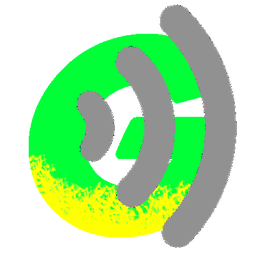 Processing
Gray waves. goto is transcribing and running the action, then returns to Idle.
Install
One line, that's it:
curl -fsSL https://espigah.github.io/goto/install.sh | bashOr grab a package:
# Debian / Ubuntu
sudo apt install ./goto_<version>_linux_amd64.deb

# Fedora / RHEL
sudo dnf install ./goto_<version>_linux_amd64.rpm

# Portable (tar.gz)
tar xzf goto_<version>_linux_amd64.tar.gz && ./goto
Prefer one portable file that just runs? Grab the .AppImage from the releases.
Snap (experimental):
sudo snap install goto-window --edge
sudo snap connect goto-window:audio-record # allow the microphoneA one-time voice pack downloads on first run. goto lives in the system tray and can start with your login.
Becomes an arm of Claude Code
goto exposes desktop actions as MCP tools. Connect it and Claude Code can focus windows, switch tabs and open conversations for you:
claude mcp add --transport stdio goto -- /path/to/goto mcpStop hunting. Just say where you want to go.
Your windows, one sentence away. Free, open source and private, for Linux.
⬇️ Get goto