Ask one terminal
what the other is doing.
When you have Claude open in several terminals, each one only knows about itself. lookover lets you just mention another one, and it brings over what's happening there, so you don't have to go find it yourself. Everything stays on your machine.


In practice
You don't run any command. You just mention the other terminal in a normal prompt.
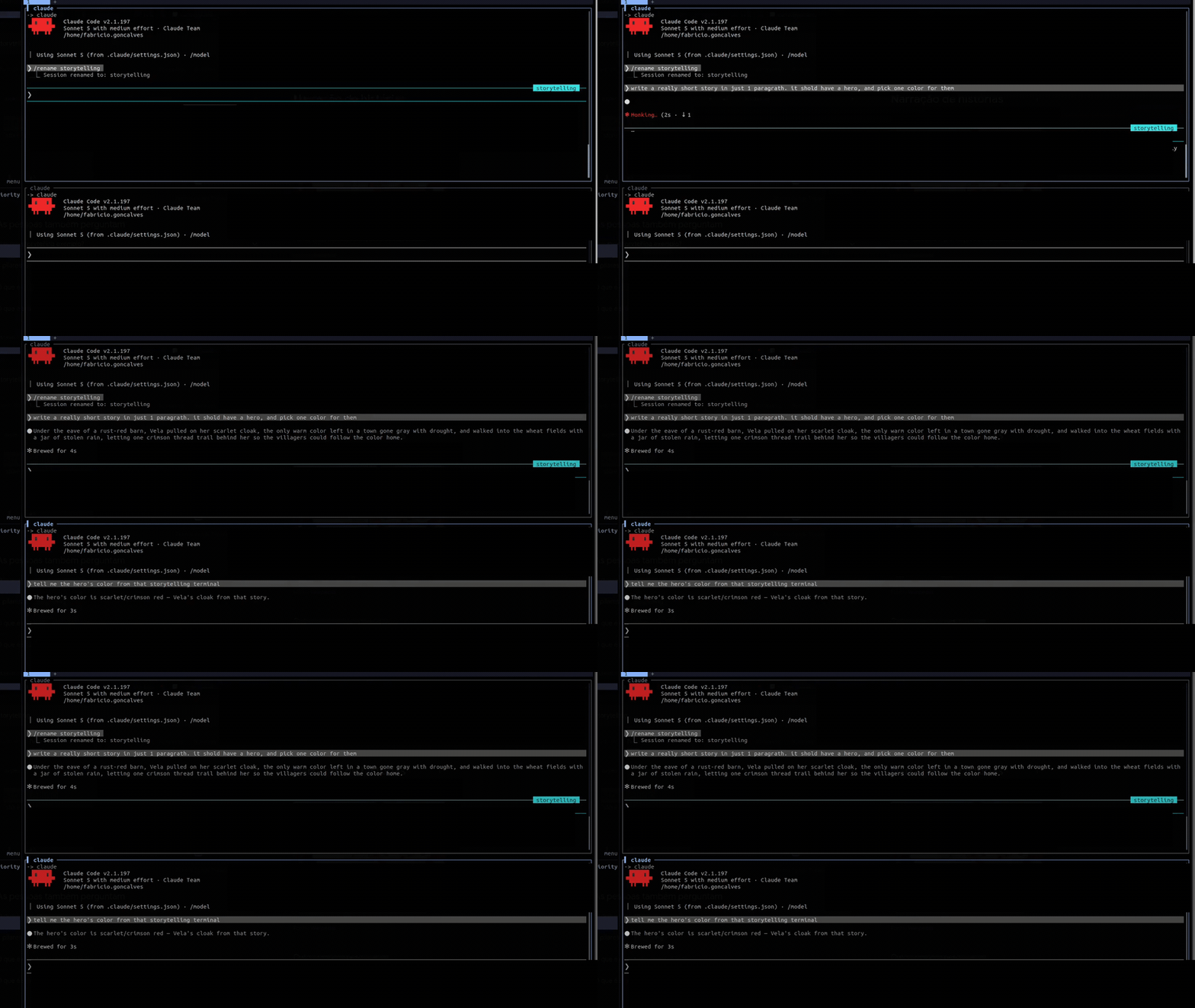
One terminal wrote a story; from another, we ask for the hero's color, and lookover brings that context over automatically.
How it works
Three simple steps, all on your machine.
It takes notes
Each terminal quietly keeps short notes on what it's up to, what you asked and what it's working on. Nothing heavy, and no full text is kept.
It finds the right one
When you mention another terminal, it picks the one you mean, by its name or by what it's working on. If it's not sure, it asks you.
It brings the context over
It hands that to Claude as background info, so the answer already takes into account what the other terminal was doing.
Recent context, or the whole thing
Name a terminal and you get its real context. Ask for more and it digs deeper.
Recent context
Point at a terminal and lookover brings its recent context, what you asked there and what came back, so the answer actually knows what happened.
The whole thing
Ask for "the full context", "what was written", "the whole thing" and it reaches further back and shows more of it, word for word.
Install
One line. It downloads the latest version, sets it up, and shows you exactly what it changes before going ahead.
curl -fsSL https://espigah.github.io/lookover/install.sh | bash
Prefer a package? Grab a .deb, .rpm or .tar.gz
from the releases page.
Then turn it on with lookover init.
Changed your mind? lookover uninstall undoes everything. To pause it
on the spot: touch ~/.claude/lookover/disabled.
Commands
Beyond the automatic in-prompt reference, there's a CLI to inspect.
lookover list                   # live sessions + topics/skill
lookover show <name|id>          # a session's digest
lookover doctor                 # health: sessions, digests, version
lookover status                 # adoption: live vs covered
Stays out of your way
It only speaks up when you ask about another terminal.
- Invisible when unused: if you're not asking about another terminal, it does nothing.
- Never gets in the way: it can't slow Claude down or break your session.
- Safe by design: whatever comes from another terminal is treated as background info, never as instructions.
- Nothing to manage: no daemon and no server — it runs as a Claude Code hook.
- Stays with you: everything is kept on your machine.